


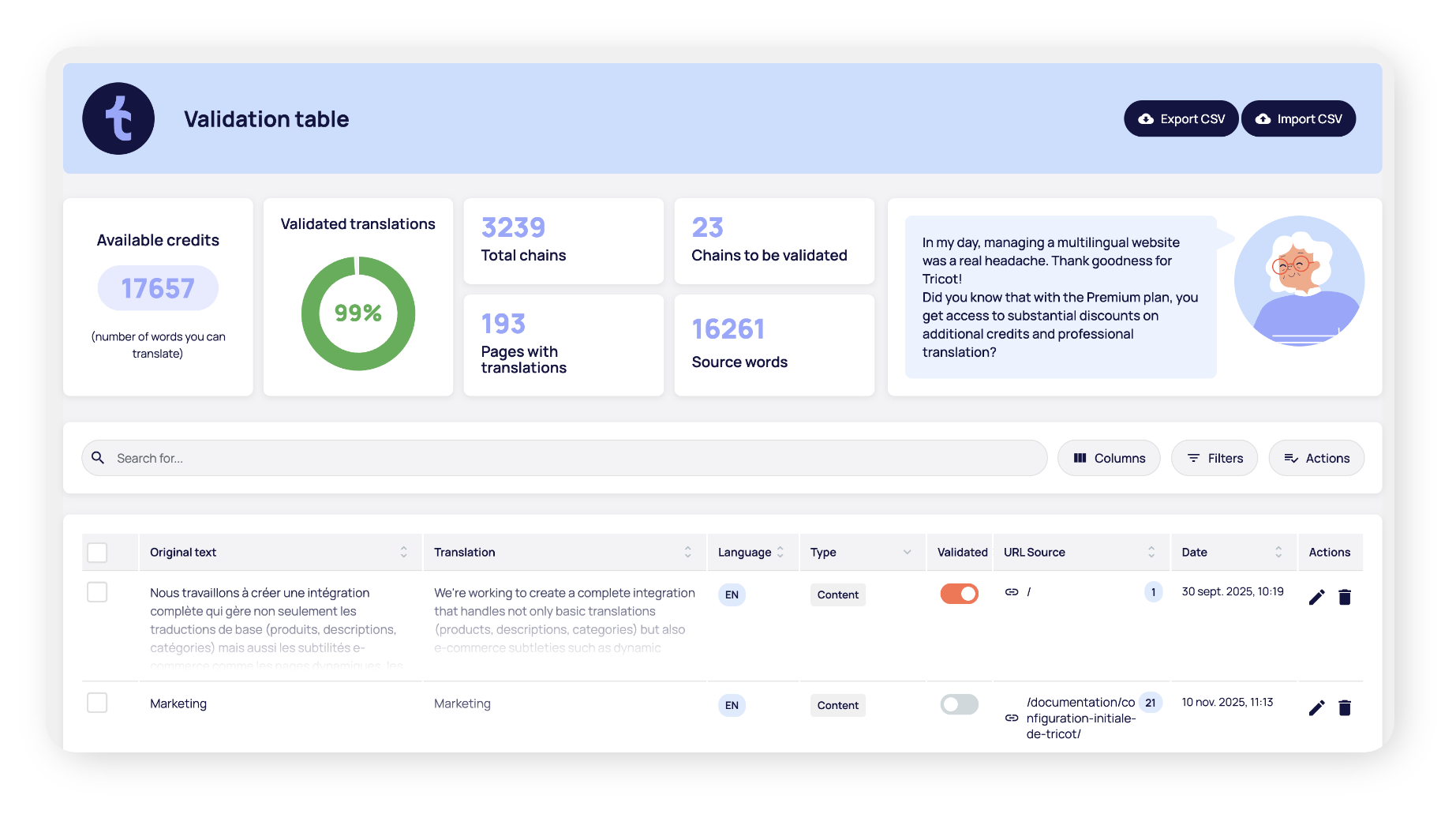
Once detected by the Tricot plugin, each new segment of your multilingual WordPress site appears in an intuitive interface for validation by your team or a language professional.
The new approach to translating your WordPress site
Tricot is a multilingual plugin powered by
by AI where humans have always the last word!
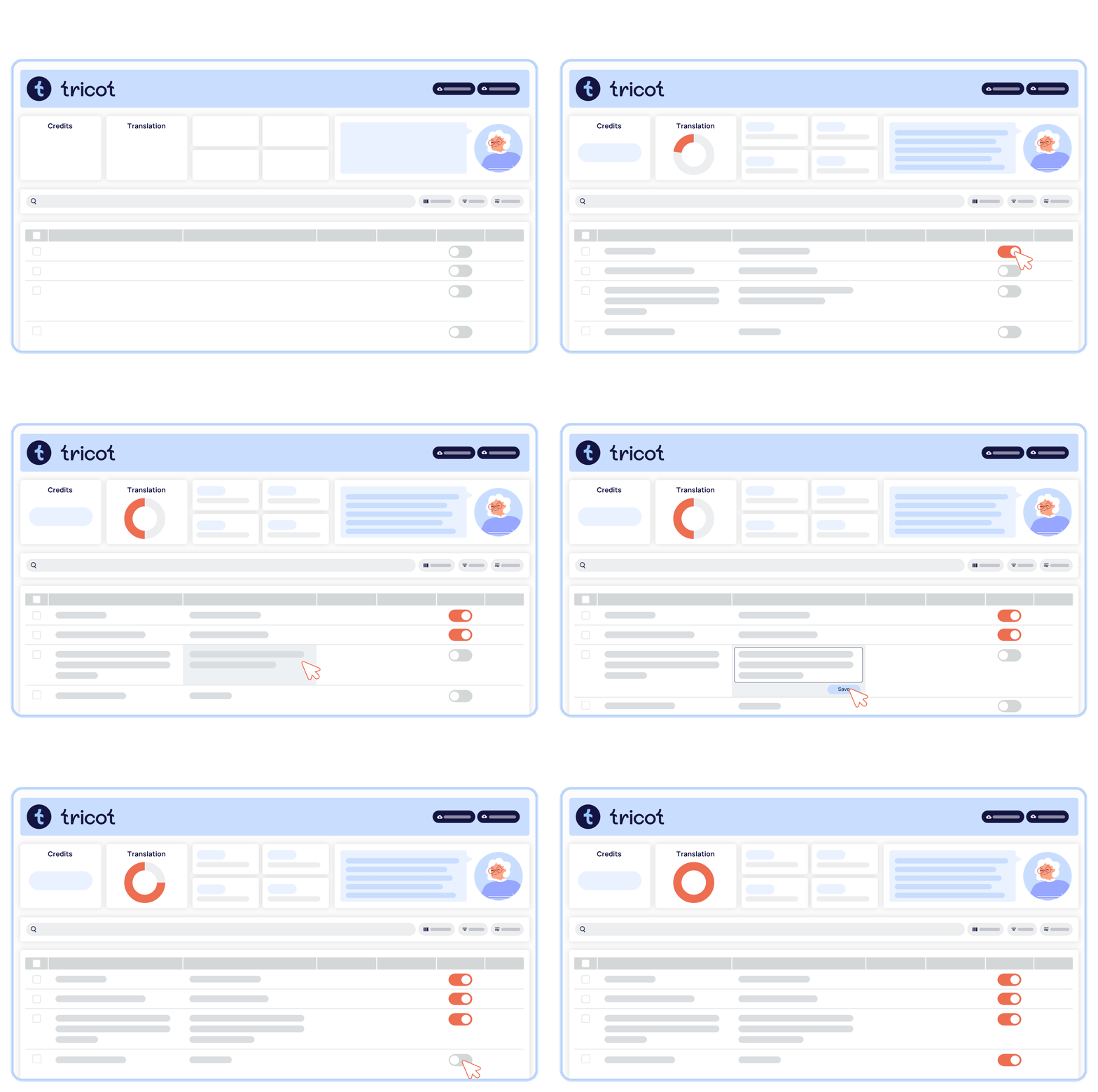

Installation in just a few clicks
Forget complex configurations. Activate the Tricot plugin, run the AI translation... and your WordPress site is translated!

Always up to date, in all languages
Tricot detects new content and automatically generates a machine translation. It's possible to have a multilingual site that's always up to date.

The power of AI and human expertise
Tricot is designed to make the most of human intervention. Easily validate and modify machine translations in your validation table.

Your translations, your property
Translated texts belong to you, even without a subscription (but you won't want to do without us!).
The simplest, fastest and most effective WordPress plugin for managing your multilingual site, period.
Do you run a WordPress site? Whether you're a beginner or experienced, with or without technical knowledge, Tricot gives you full control over your translations. It really is that simple.
An innovative solution developed in Quebec, Tricot intelligently combines AI and human expertise to make multilingual management accessible to all WordPress site managers.
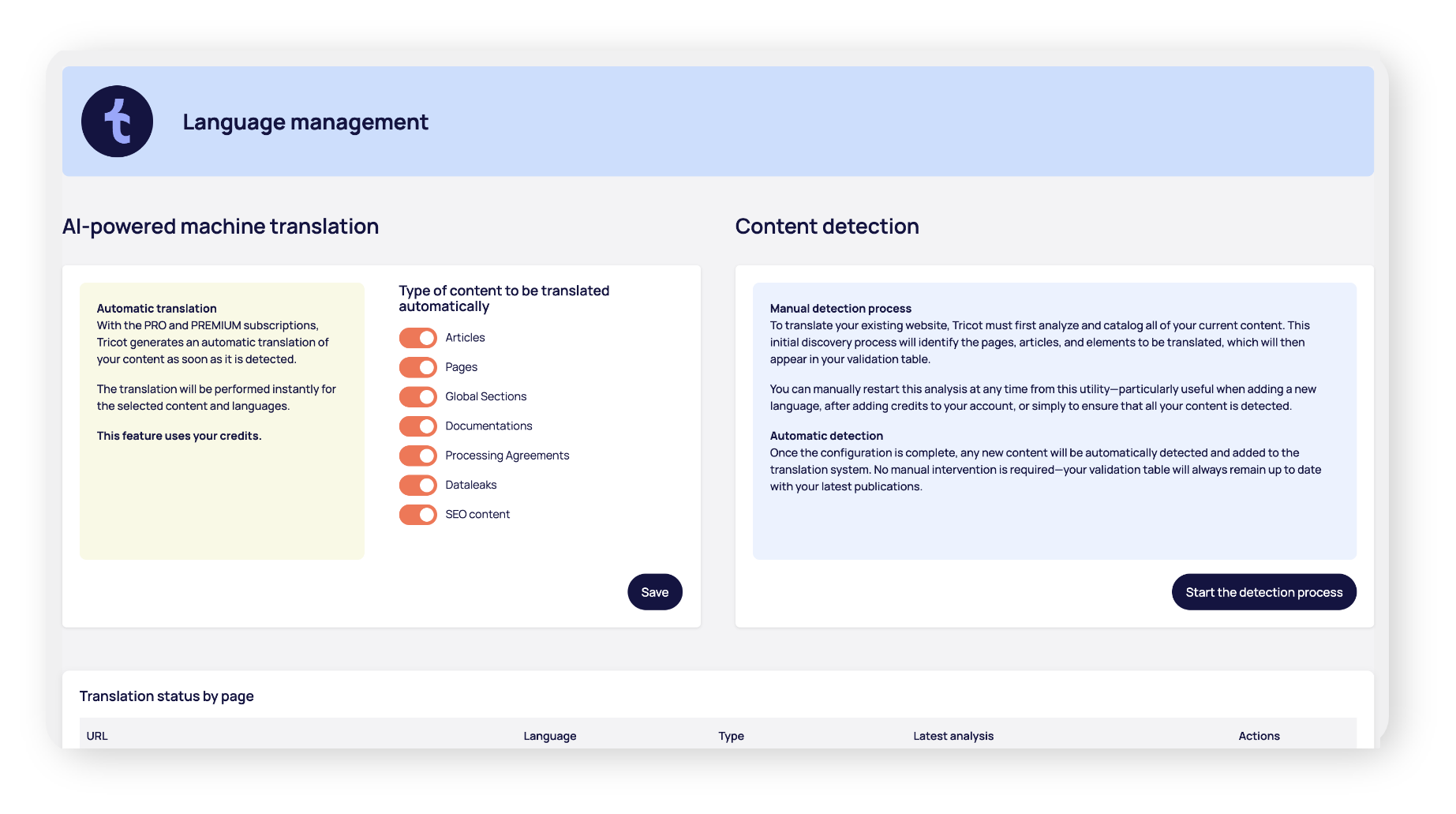
AI detection and automatic translation
Tricot automatically detects new content and generates a machine translation in the target languages. If required, the translated segments can be easily modified in the validation table.
A user-friendly validation table

Discover Tricot with a free 7-day trial!
Install Tricot directly from WordPress plugins or
download the application by clicking here
[No credit card required - no commitment]
Plans tailored to your needs
Show prices in
Pricing in USD and EUR is an estimate and allows for a direct comparison with the market. Invoices are always issued in CAD.

PRO
+ 3,000 translation credits
Billed annually
- 1 site per license
- Unlimited languages
- Automatic translation by AI
- Validation table
- Multimedia content translation
- Customized languages
- URL translation
- Multilingual referencing - SEO
- Contextual editor (front-end)
- Glossary
- Full Woocommerce support
- Import / Export
- Preferential rate on credits (-50%)
- Preferential rate on expert review
★ Most Popular
 Get a license

PREMIUM
+ 70,000 translation credits
Billed annually
- 1 site per license
- Unlimited languages
- Automatic translation by AI
- Validation table
- Multimedia content translation
- Customized languages
- URL translation
- Multilingual referencing - SEO
- Contextual editor (front-end)
- Glossary
- Full Woocommerce support
- Import / Export
- Preferential rate on credits (-50%)
- Preferential rate on expert review

PARTNER
Contact us
For qualified agencies only
Let's work together to shape the future of multilingual WordPress!
- Exclusive prices on PRO and PREMIUM licenses
- Centralized management
- Shareable credits
- Dedicated account manager
- Priority support
- Early access to new features
- Authorized resale
Credit prices
1 credit = 1 word translated into 1 language — free word counter
With the PREMIUM subscription
Pay as little as per word! 50% savings
Number of credits
20 000
50 000
250 000
With the PRO subscription
Pay as little as per word!
Number of credits
20 000
50 000
250 000
Frequently asked questions
Can I modify AI-generated translations?
Absolutely! Our validation table lets you validate and edit each translation generated by AI. You can do this directly in the interface of your WordPress site, or export as a CSV, have it professionally reviewed, then re-import (with the PREMIUM subscription). Tricot always lets you know what percentage of your content has been validated by a human!
How long does it take to translate a complete site?
The initial translation usually takes between 2 and 15 minutes, depending on the size of your WordPress site. Our plugin automatically detects all your content and translates it with AI. Then all you have to do is validate important texts at your own pace.
How do I calculate the number of credits needed to translate my WordPress site?
Credits are required to activate the automatic AI translation. With us, there's no complicated calculation. 1 credit = 1 word translated into 1 language.
The average website contains between 4,000 and 6,000 words. That's exactly the number of credits you'll need to translate with Tricot! Is your site 20,000 words long? Plan on 20,000 credits!
After that, count on around 20% new content per year.
You can use our tool to evaluate the number of your site or install the free knitting version on your site to get a more precise number.
How reliable is machine translation for professional websites?
Translations generated by artificial intelligence are of good quality and may be suitable for some content. That said, we always recommend human verification, especially for critical texts (legal, marketing). Fortunately, our interface is brilliantly designed to simplify validation!
I don't feel comfortable checking translations. Do you offer a professional editing service?
Yes, we can count on the services of language experts to revise your translations!
All you have to do is request a linguistic revision directly in the Tricot interface, and a professional will validate your content. Changes will be made directly in your Tricot validation table!
No handling on your part: we take care of everything. Service billed on demand, according to your package and volume.
Is Tricot compatible with my theme and plugins?
The Tricot plugin works with the vast majority of popular WordPress themes and plugins. We support popular builders, form plugins and even dynamic content.
Does Tricot work with WooCommerce?
Yes. Tricot은 WooCommerce와 완벽하게 호환됩니다, as well as with the standard version (classic) with WooCommerce using the block editor.
이 호환성은 트리코의 프리미엄 버전에서 제공됩니다.
Whether you're using traditional WooCommerce pages (PHP templates, shortcodes) or new pages built with WooCommerce blocks, Tricot을 사용하면 상점의 콘텐츠와 필수 요소를 올바르게 번역할 수 있습니다.
What about third-party plugins?
The world of WooCommerce is very broad and relies on a multitude of plugins, both official WooCommerce plugins and third-party plugins (payment, shipping, subscriptions, variable products, etc.). We continually work to ensure the most complete compatibility possible with a majority of WooCommerce plugins, whether native or external. While some very specific plugins may require special adjustments, our goal is to offer a reliable and consistent translation solution for the vast majority of WooCommerce configurations.
What happens if I cancel my subscription?
Your translations remain active on your site. You keep everything that has been translated. You simply lose access to paid features, such as AI translation, automatic content detection, import/export, and so on. That's the advantage of our local architecture.